


Showing posts with label Creative. Show all posts
Showing posts with label Creative. Show all posts
Tuesday, April 26, 2011
How To Create a Soft Fade Vignette Effect in Photoshop Elements
 12:31 PM |
  Posted by
Julie Elder
Posted by
Julie Elder
Soft Fade Vignette Effect
A vignette, or soft fade, is a popular photo effect where the photo gradually fades into the background, usually in an oval shape. Elements has a built in vignette effect, but this method gives you more control. New: See my updated tutorial on how to create a vignette effect non-destructively.
Difficulty: Easy
Time Required: 1 minute

Here's How:
- Open a photo.
- Select the Elliptical Marquee Tool.
- Click and drag across the image to select the area of the photo you want to keep.
- Go to Select > Feather and enter a radius amount. A value between 20-50 works well. The higher the value, the softer the fade will be.
- Go to Select > Inverse.
- If you want a background color other than white, black or gray, choose the color in the toolbox now.
- Go to Edit > Fill and select a color or pattern to fill in the background.
- Go to Select > Deselect.
Tips:
- Be sure to save under a different name so you don't overwrite your original.
- After step 4, you can optionally copy and paste the feathered selection to another image.
- There is a one-click Vignette in the effects palette of Photoshop Elements, but by learning the manual method, you have control over the softness of the fade and the background contents.
- New: See my updated tutorial on how to create a vignette effect non-destructively.
 Labels:

Saturday, January 29, 2011
Pick A Glitter Template To Personalize

Over 750 animated sparkly glitter background effects (glitter fills) to select from! 1,000s of combinations. Change the background color.
Over 200 font styles to choose from!
Click a logo to left for the glitter logo maker or click HERE for the previews of the special effects.
Adobe Photoshop Elements 8
For more instructional and troubleshooting information, visit Photoshop Elements Help & Support.
Adobe Photoshop Elements 8
Elements 8 Help
Elements Organizer
Photoshop Elements Editor
Premiere Elements Editor
Using Photoshop Elements 8 Editor
Getting started with Adobe Photoshop Elements
Photoshop Elements workspace
Working in the Editor
Using layers
Camera raw files
Selecting parts of an image
Color and tonal correction
Cropping, resizing, retouching, and transforming photos
Understanding color
Filters, effects, styles, and artwork
Effects
Filters
Artistic filters
Blur filters
Brush Stroke filters
Distort filters
Noise filters
Pixelate filters
Render filters
Sketch filters
Stylize filters
Diffuse
Emboss
Extrude
Find Edges
Glowing Edges
Solarize
Tiles
Trace Contour
Wind
Texture filters
Video filters
Other filters
Painting
Adding text and shapes
Creating projects in the Editor
Optimizing for the web
Printing and sharing photos
Photoshop Elements Editor keyboard shortcuts
Glossary
Legal notices
Adobe Photoshop Elements 8
Elements 8 Help
Elements Organizer
Photoshop Elements Editor
Premiere Elements Editor
Using Photoshop Elements 8 Editor
Getting started with Adobe Photoshop Elements
Photoshop Elements workspace
Working in the Editor
Using layers
Camera raw files
Selecting parts of an image
Color and tonal correction
Cropping, resizing, retouching, and transforming photos
Understanding color
Filters, effects, styles, and artwork
Effects
Filters
Artistic filters
Blur filters
Brush Stroke filters
Distort filters
Noise filters
Pixelate filters
Render filters
Sketch filters
Stylize filters
Diffuse
Emboss
Extrude
Find Edges
Glowing Edges
Solarize
Tiles
Trace Contour
Wind
Texture filters
Video filters
Other filters
Painting
Adding text and shapes
Creating projects in the Editor
Optimizing for the web
Printing and sharing photos
Photoshop Elements Editor keyboard shortcuts
Glossary
Legal notices
Stores Templates: 25 Best Free Online
Stores Templates: 25 Best Free Online
 Beautiful Life is online magazine dedicated to all aspects of design. Beautiful Life is full of interesting and unique info about creative design, beautiful art and luxury lifestyle. There are many things in the world that are interesting, beautiful and worthy to tell everybody.
Do you like beautiful, unusual and luxury stuff? Do you want always be the first who will be known about design news? Then our site is for you. If you haven't become our subscriber yet - do it right now via RSS.
We continue to show you collection of best free templates all over the Internet. If you’re our loyal reader you should remember our previous collections for example like 15 Best Free Hotel Templates or 15 Best Free Real Estate Templates. This time we want to show high quality free templates that can be used for creating online stores in any niche. Listed further online shop templates are developed by various design studios and companies and will surely come in handy if you want to start you online business. The collection contains free css templates as well as free osCommerce templates. We hope that here you will find website template that will suit you perfectly. Also don’t forget to check other online stores templates.
Do you like beautiful, unusual and luxury stuff? Do you want always be the first who will be known about design news? Then our site is for you. If you haven't become our subscriber yet - do it right now via RSS.
We continue to show you collection of best free templates all over the Internet. If you’re our loyal reader you should remember our previous collections for example like 15 Best Free Hotel Templates or 15 Best Free Real Estate Templates. This time we want to show high quality free templates that can be used for creating online stores in any niche. Listed further online shop templates are developed by various design studios and companies and will surely come in handy if you want to start you online business. The collection contains free css templates as well as free osCommerce templates. We hope that here you will find website template that will suit you perfectly. Also don’t forget to check other online stores templates.
Sunday, March 28, 2010
How to Be Creative in Advertising
Be Creative in Advertising
It’s quite true about the saying – There’s no second chance at making a good first impression. Advertisement, regardless online or offline, if they don’t catch your attention within seconds they are considered failed. Agencies and big corporations do not believe in ‘cool factors’ in advertisement anymore. Instead, to really stand out of the crowd, the idea has to be really out of the box, something that makes you laugh, talks about it or at least make you look twice.
You might also like:
* 40 Impressive Product Ads You Don’t See in Magazines


What can Creactivity do?
Being creative the deepest parts of your being are activated, you feel an amazing feeling of connection to your higher self. When you are being creative you realize that you already are everything you always wanted to be. All that matters is your creation and the creative process, your ambitions fade away, because they belong to your ego.
Whether you’re trying to solve a tough problem, start a business, get attention for that business or write an interesting article, creative thinking is crucial. The process boils down to changing your perspective and seeing things differently than you currently do.
People like to call this “thinking outside of the box,” which is the wrong way to look at it. Just like Neo needed to understand that “there is no spoon” in the film The Matrix, you need to realize “there is no box” to step outside of.
You create your own imaginary boxes simply by living life and accepting certain things as “real” when they are just as illusory as the beliefs of a paranoid delusional. The difference is, enough people agree that certain man-made concepts are “real,” so you’re viewed as “normal.” This is good for society overall, but it’s that sort of unquestioning consensus that inhibits your natural creative abilities.
I like to keep this list of 10 common ways we suppress our natural creative abilities nearby when I get stuck. It helps me realize that the barriers to a good idea are truly all in my head.
This is a great article by Brian Clark. Please visit his site to learn about the 10 Mental Blocks. I think you will appreciate it. Leave him a comment...
“every child is an artist. the problem is how to remain an artist once he grows up” Pablo Picasso
Do You Recognize These 10 Mental Blocks to Creative Thinking?
Whether you’re trying to solve a tough problem, start a business, get attention for that business or write an interesting article, creative thinking is crucial. The process boils down to changing your perspective and seeing things differently than you currently do.
People like to call this “thinking outside of the box,” which is the wrong way to look at it. Just like Neo needed to understand that “there is no spoon” in the film The Matrix, you need to realize “there is no box” to step outside of.
You create your own imaginary boxes simply by living life and accepting certain things as “real” when they are just as illusory as the beliefs of a paranoid delusional. The difference is, enough people agree that certain man-made concepts are “real,” so you’re viewed as “normal.” This is good for society overall, but it’s that sort of unquestioning consensus that inhibits your natural creative abilities.
So, rather than looking for ways to inspire creativity, you should just realize the truth. You’re already capable of creative thinking at all times, but you have to strip away the imaginary mental blocks (or boxes) that you’ve picked up along the way to wherever you are today.
I like to keep this list of 10 common ways we suppress our natural creative abilities nearby when I get stuck. It helps me realize that the barriers to a good idea are truly all in my head.
This is a great article by Brian Clark. Please visit his site to learn about the 10 Mental Blocks. I think you will appreciate it. Leave him a comment...
Branding
xxxxxx
I know you've worked really hard on your branding: The thing you want to be known for.
But guess what: Your brand is not determined by you. It is determined by the collective impressions of everyone who has interacted with you.
Social media is a great too for spreading the message of your brand. You should create several blog posts, each on a different topic or answering a common question in your field. Make those posts easy to find. (You'll notice 'Popular Articles' in the menubar of my blog.) Spend some time each week seeking out people who:

 What Are YOU Good At? - Click To Read Article
Recently, during a corporate training session at LEGO, I asked a group of professionals to write down 20 qualities about themselves, 20 strengths of their personal brand. One woman looked completely dumbfounded. She stared down at the blank sheet of paper and finally said, "Rahna, that's got to be the hardest thing you could've asked for!" She was stumped. She had no idea what to write and sadder still, she had no idea what she was good at! This is a woman in a very large, very well-known company that conducts annual formal performance reviews....and still she didn't know. Can you imagine?
The Brand Provides The Key ... or You Have What It Takes! - Click To Read Article
I have a gardening background, both from spending years as the Brand Manager for Miracle-Gro and from my master gardener mother, who continues to teach me all about how to coax loveliness from a bare patch of earth. She was talking about tomatoes, and it reminded me of a very important personal branding lesson.
Personal Branding Update: Now Is The Time For Individual Employees To Shine! - Click To Read Article
It's the individual employees that are going to pull America through these troubled times. Everyone has unique skills and abilities to bring to bear, whether you work for a Fortune 500 company or a two-person accounting firm. When people focus on what they're good at and what makes them unique, they get re-energized about what they do and they are inspired to innovate.
Personal Branding From The King of Pop - Click To Read Article
Yesterday, the world heard the bizarre news that Michael Jackson, the self-proclaimed King of Pop, had died. Talk about a strong personal brand. Here's a guy who was absolutely unique-unlike anyone else. You may love him, you may hate him, but one thing is certain: you know him. You understand who he was, what he has done, what he stood for and what he was all about.
Do You Have a Social Media Strategy? - Click To Read Article
While Social Media is the newfangled thing for everyone to talk about, monitor and watch these days amongst marketers, I see a day in the future when social media will be yet another tool in a marketer's tool belt just as "cable" is now just another line item in a marketer's advertising budget. We will get to a day when marketers can't imagine developing a campaign without at least considering how their brand, or new product or service offering might be expressed digitally across a range of social media options.
Digital Branding is Great ... But Don't Forget The Strategy! - Click To Read Article
It has come to my attention recently that many clients are getting frustrated with all the "Social Media experts" because they forget about the strategy. You cannot be enamored with "doing something just to do it." Please remember that e-mail campaigns, Twitter updates, Facebook pages, blogs, and any other digital marketing tool is just that ... a tool ... a vehicle to further your engagement with your consumer. One thing everyone needs to remember: you can't forget the strategy.

I know you've worked really hard on your branding: The thing you want to be known for.
But guess what: Your brand is not determined by you. It is determined by the collective impressions of everyone who has interacted with you.
Social media is a great too for spreading the message of your brand. You should create several blog posts, each on a different topic or answering a common question in your field. Make those posts easy to find. (You'll notice 'Popular Articles' in the menubar of my blog.) Spend some time each week seeking out people who:
- Need help you can provide
- Have a question you can answer
- Need advice you can give

Rahna Barthelmess Articles:
What Are YOU Good At? - Click To Read ArticleRecently, during a corporate training session at LEGO, I asked a group of professionals to write down 20 qualities about themselves, 20 strengths of their personal brand. One woman looked completely dumbfounded. She stared down at the blank sheet of paper and finally said, "Rahna, that's got to be the hardest thing you could've asked for!" She was stumped. She had no idea what to write and sadder still, she had no idea what she was good at! This is a woman in a very large, very well-known company that conducts annual formal performance reviews....and still she didn't know. Can you imagine?
The Brand Provides The Key ... or You Have What It Takes! - Click To Read Article
I have a gardening background, both from spending years as the Brand Manager for Miracle-Gro and from my master gardener mother, who continues to teach me all about how to coax loveliness from a bare patch of earth. She was talking about tomatoes, and it reminded me of a very important personal branding lesson.
Personal Branding Update: Now Is The Time For Individual Employees To Shine! - Click To Read Article
It's the individual employees that are going to pull America through these troubled times. Everyone has unique skills and abilities to bring to bear, whether you work for a Fortune 500 company or a two-person accounting firm. When people focus on what they're good at and what makes them unique, they get re-energized about what they do and they are inspired to innovate.
Personal Branding From The King of Pop - Click To Read Article
Yesterday, the world heard the bizarre news that Michael Jackson, the self-proclaimed King of Pop, had died. Talk about a strong personal brand. Here's a guy who was absolutely unique-unlike anyone else. You may love him, you may hate him, but one thing is certain: you know him. You understand who he was, what he has done, what he stood for and what he was all about.
Do You Have a Social Media Strategy? - Click To Read Article
While Social Media is the newfangled thing for everyone to talk about, monitor and watch these days amongst marketers, I see a day in the future when social media will be yet another tool in a marketer's tool belt just as "cable" is now just another line item in a marketer's advertising budget. We will get to a day when marketers can't imagine developing a campaign without at least considering how their brand, or new product or service offering might be expressed digitally across a range of social media options.
Digital Branding is Great ... But Don't Forget The Strategy! - Click To Read Article
It has come to my attention recently that many clients are getting frustrated with all the "Social Media experts" because they forget about the strategy. You cannot be enamored with "doing something just to do it." Please remember that e-mail campaigns, Twitter updates, Facebook pages, blogs, and any other digital marketing tool is just that ... a tool ... a vehicle to further your engagement with your consumer. One thing everyone needs to remember: you can't forget the strategy.

How do I create an Avatar?
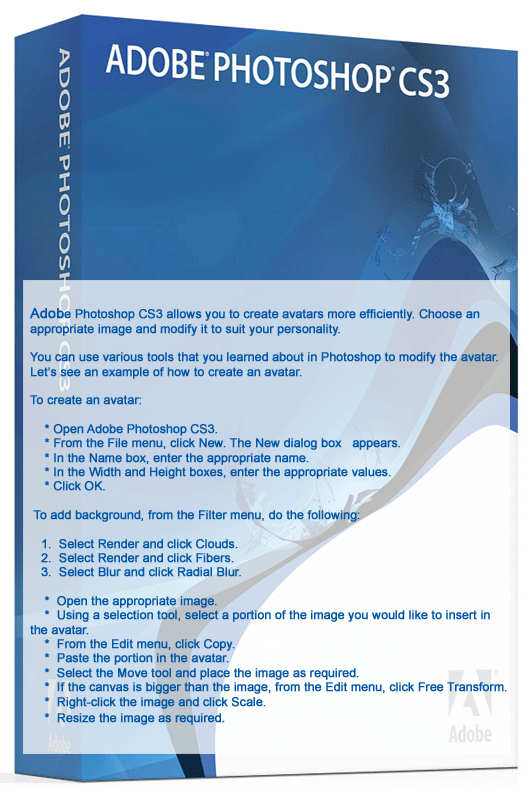
Adobe Photoshop CS3 allows you to create avatars more efficiently. Choose an appropriate image and modify it to suit your personality. You can use various tools that you learned about in Photoshop to modify the avatar. Let’s see an example of how to create an avatar.
To create an avatar:
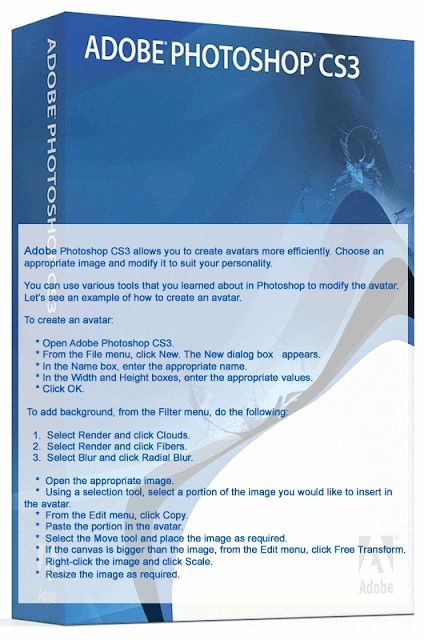


To create an avatar:
How do I create an Avatar?



Branding Yourself

 When I was a very young girl, living in a small country town in Utah, I spent a lot of time with my grandparents. My grandfather had quit a few cows and I was always eager to help him brand his cows. Now I know that must sound

Subscribe to:
Posts (Atom)
Blog with the best


Comment Below
WallBiz Designing!
