


Showing posts with label Branding. Show all posts
Showing posts with label Branding. Show all posts
Monday, July 11, 2011
Blogger Features
 8:51 AM |
  Posted by
Julie Elder
Posted by
Julie Elder
We created Blogger to give you an easy way to share your thoughts — about current events, what's going on in your life, or anything else you'd care to discuss — with the world. We've developed a host of features to make blogging as simple and effective as possible.
Getting Started | More Features | Advanced Features
Getting Started | More Features | Advanced Features
Getting Started
New! Customize your design
The Blogger Template Designer offers many templates, making it simple for you to create a professional-looking blog. In addition, the Template Designer lets you customize your template. Choose from hundreds of background images, tens of flexible layouts, and rearrange widgets through a drag and drop interface. Add gadgets such as slideshows, user polls, or even AdSense ads. Changing fonts and colors is easy too. And if that’s not enough control, you can even edit your blog’s CSS and HTML.Publishing your voice is easy and free
Creating your blog with Blogger takes just a few easy steps. In a matter of minutes you can start posting text, photos, videos, and more to your blog. Post as often as you want; it's free. Check out this article on How to get started or watch the How to create a blog with Blogger video.Simple-to-use interface
Follow a few basic steps to start posting to your blog. Our simple-to-use interface lets you change fonts, bold or italicize your text, adjust text color and alignment, and more. As you compose each new blog post, Blogger saves it automatically, without interrupting your typing. There's also an easy-to-use spell-check feature and a simple way to add labels to your posts. In addition, Blogger includes an HTML editor that lets you fully customize the look and feel of your posts.Your free website
When you create your blog, you can host it for free on Blog*Spot. Just choose an available URL and you're ready to go. If you change your mind and want a different URL later, making the change is easy. Blogger also includes a custom domain option; you can have a domain name, like example.com, and we'll still host your blog there, giving you all of Blogger's great features.Add photos and videos to your post
You can easily add a photo to your blog post by clicking on the image icon in the post editor toolbar. Your photos are then hosted in your free Picasa Web Albums account, where you can order prints and organize photos into albums. Adding a video to your post is just as easy; just click on the film-strip icon on the post editor toolbar to get started. Videos uploaded through Blogger are hosted on Google Video.More Features
New! Earn money
With Blogger, you can earn money just by posting high quality original content on your favorite topics. Blogger has a dedicated Monetize tab that allows you to easily place AdSense ads on your blog. Also, through Blogger’s Amazon Associates program, you can search Amazon’s product catalog and add links to products you recommend that earn you commission when your readers buy these products.Develop your community
Let your readers follow your blog by adding the Followers gadget to your layout. With this gadget, your readers can click the "Follow This Blog" link to add your blog to their Blogger Dashboard and Google Reader account. They also have the option to add their image and profile to your blog to tell the world that they're a fan.Feedback from your readers
It's easy for readers to leave comments on any of your blog posts, giving you useful, timely feedback. They can leave comments right below the post, in a pop-up window, or on a separate page. You can also use Reactions to let your readers quickly provide feedback with just one click.New post notifications
Your readers can choose to subscribe to your blog's feeds, so they're notified whenever you publish a new blog post. You can also customize what's shared in your blog's feed, and set up your blog to email new posts automatically to specific email addresses or mailing lists.One simple ID
Because you can login to Blogger with your Google Account — which also gives you access to Gmail, iGoogle, orkut, etc. — you have one less username and password to remember. Your blog's address can also be used as an OpenID to give you a single digital identity across the web. Since your blog can accept comments from OpenID users in addition to registered Blogger members, it'll be easier for all your readers to leave feedback and participate in your conversations.Languages of the world
Blogger is currently available in 41 languages including English, French, Italian, German, Spanish, Dutch, Portuguese, Chinese, Japanese, and Korean. Arabic, Hebrew, and Persian speakers can use Blogger with Right-to-Left display and formatting. And transliteration is available for five Indic languages.Advanced Features
New! Pages
With Blogger’s Pages feature, you can create new pages that are linked from your blog. For example, you can create an “About This Blog” or a “Contact Me” page, in a similar way you write a new blog post, and provide links to those pages as tabs at the top of your blog or in the sidebar.Posting on the go
Blogger has many additional ways for you to post to your blog. You can post to your blog from your mobile phone or through a secret Mail-to-Blogger email address. Or use the Blogger Post Gadget to edit and publish posts directly from your custom iGoogle homepage. With these options, it's easy to post to your blog whenever you want, from wherever you may be.Group blogging
With Blogger, it's easy to create a team blog, allowing multiple bloggers to contribute to a single blog. You select which team members have administrative authority and those who are just authors. You can also choose to make your blog private and restrict who can view it. This puts you in full control of your blog.Third-party applications
You can choose among a host of third-party applications that integrate with Blogger to make it even easier for you to blog. Be sure to check out code.blogger.com if you're a developer and want to create your own great app.Even more features...
We're constantly developing new features for Blogger; check out Blogger Buzz to stay on top of all the latest additions and changes. If you want to try some of our experimental features, check out Blogger in draft. And if you need more information about any of Blogger's features, be sure to visit the Blogger Help site or discussion group. To see what others are posting, check out Blogs of Note. We hope you like what we've created. Labels:

Tutorials
Reinstalling Google Analytics
Installing Google Analytics
Moderating your Blog's Comments
DIY Custom Blog Fonts
Unlocking Wordpress
Creating a Webs Account
Adding a Polaroid Effect to your Post Images
Changing your Password in Blogger
Using Free Backgrounds in the Watermark Template
Setting up a Photobucket Account
Expandable Post Summaries
Fancy Up your Footer
Making your Images Unclickable
Backing Up Your Template
Transferring a Domain Using GoDaddy.com
Spice up your Blog with Gadgets
How to Change the Color/Style of your Blogger Nav Bar
Finding the Old Blogger Templates
Adding Pages to your Blog
How to Right Click Disable Your Blog
Uploading Larger Pictures in Blogger
Installing Google Analytics
Moderating your Blog's Comments
Adding Labels to your Blog Posts
Granting Admin Privileges
Add the Link Withing Gadget to your Blog
Adding and Configuring a Sticky Welcome Post
How to Apply a Watermark to Photos
Granting Admin Privileges
Add the Link Withing Gadget to your Blog
Adding and Configuring a Sticky Welcome Post
How to Apply a Watermark to Photos
DIY Custom Blog Fonts
Unlocking Wordpress
Creating a Webs Account
Adding a Polaroid Effect to your Post Images
Changing your Password in Blogger
Using Free Backgrounds in the Watermark Template
Setting up a Photobucket Account
Expandable Post Summaries
Fancy Up your Footer
Making your Images Unclickable
Backing Up Your Template
Transferring a Domain Using GoDaddy.com
Spice up your Blog with Gadgets
How to Change the Color/Style of your Blogger Nav Bar
Finding the Old Blogger Templates
Adding Pages to your Blog
How to Right Click Disable Your Blog
Uploading Larger Pictures in Blogger
Thursday, May 12, 2011
Importance of Fonts
Found this at onthespotstudio... You will love this blog.. Make sure you comment on it.. Enjoy the content...
(check out sites like myfonts.com and fonts.com and give examples. The more detailed you are, the better)
A few tips while picking out fonts:
DONT go too handwritten/rough edged. Not only do these fonts not usually look professional but nine times out of ten: they do not print well either.
DONT choose a font that is either:
a) OVERUSED (ie: Scriptina, Corinthia, Passions Conflict, Inspiration, dear joe, pea fonts)
b) FREE (most free fonts are NOT okay to use for logo design)
c) hard to read/rough edged (dear joe, susies hand, etc.)
DO choose a font that is:
a) clean, sans serif ( Marlowe, Harry Thin, Le Havre, MrEaves)
b) clean serif (Garamond, Filosofia, Perpetua, Century)
c) Legible Script ( PF Champion Script Pro®, Liza, Dolce, Eye Catching, Feel Script)
Some fonts are NOT cheap. It’s nothing for me to spend well over $100 a week on JUST fonts for clients. This guarantees the design to be unique, timeless, clean and “you”.
When deciding on the type of font you want, be sure to let your designer KNOW that way they are not buying fonts you “think” you may like, as well as wasting money on fonts they may never use again. A good designer stays up to date on new release fonts and has an “eye” for what will and will not work on logo designs. If your designer informs you that they will have to purchase the font that you want, be absolutely positive, no doubt in your mind that that is the font you want. You will also have to purchase the font if you want your branding to be consistent. The designer can NOT give you the font file with your final designs, as it is against many font designers TOU. If the TOU are questionable, be sure to email the FONT DESIGNER yourself to find out if a special commercial license is needed for use on logo design. If so, let your designer know so that he/she can purchase the correct licenses for your designwork.
Remember: when designing your own logo or having a designer do it for you, sometimes, simple is better. The more legible your font on your logo is, the better chance of someone recognizing it.
Fonts:
Fonts are one of the most important parts of your logo design. If your designer asks YOUR input on the type of font you like, be as specific as possible using links to the font(s) and other logo designs to guide them.(check out sites like myfonts.com and fonts.com and give examples. The more detailed you are, the better)
A few tips while picking out fonts:
DONT go too handwritten/rough edged. Not only do these fonts not usually look professional but nine times out of ten: they do not print well either.
DONT choose a font that is either:
a) OVERUSED (ie: Scriptina, Corinthia, Passions Conflict, Inspiration, dear joe, pea fonts)
b) FREE (most free fonts are NOT okay to use for logo design)
c) hard to read/rough edged (dear joe, susies hand, etc.)
DO choose a font that is:
a) clean, sans serif ( Marlowe, Harry Thin, Le Havre, MrEaves)
b) clean serif (Garamond, Filosofia, Perpetua, Century)
c) Legible Script ( PF Champion Script Pro®, Liza, Dolce, Eye Catching, Feel Script)
Some fonts are NOT cheap. It’s nothing for me to spend well over $100 a week on JUST fonts for clients. This guarantees the design to be unique, timeless, clean and “you”.
When deciding on the type of font you want, be sure to let your designer KNOW that way they are not buying fonts you “think” you may like, as well as wasting money on fonts they may never use again. A good designer stays up to date on new release fonts and has an “eye” for what will and will not work on logo designs. If your designer informs you that they will have to purchase the font that you want, be absolutely positive, no doubt in your mind that that is the font you want. You will also have to purchase the font if you want your branding to be consistent. The designer can NOT give you the font file with your final designs, as it is against many font designers TOU. If the TOU are questionable, be sure to email the FONT DESIGNER yourself to find out if a special commercial license is needed for use on logo design. If so, let your designer know so that he/she can purchase the correct licenses for your designwork.
Remember: when designing your own logo or having a designer do it for you, sometimes, simple is better. The more legible your font on your logo is, the better chance of someone recognizing it.
Monday, May 9, 2011
Ustream ~ Broadcast video LIVE... Branding you!
Broadcast video LIVE to the world from a computer, mobile or iPhone in minutes, or watch thousands of shows from News to Entertainment to celebrities, 24/7.

Overview
Ustream is the leading live interactive broadcast platform. Anyone with an internet connection and a camera can start engaging with their family, friends or fans anytime, anywhere. Millions of Ustream users view and broadcast a wide variety of content, from high school sporting events to red carpet movie premieres. Notable Ustream broadcasts include major political events, concerts, conferences, movie premieres, talk shows, sporting events, interactive games, and personal milestones.Our Mission
Ustream’s mission is to bring people together around shared interests for amazing live, interactive experiences that build and maintain relationships.Company Background
After meeting at West Point in 2007, founders John Ham and Brad Hunstable joined with Gyula Feher to create a service that would allow service men to communicate with their families and friends live, all at once. The founders launched Ustream in March 2007, and the service has since found worldwide adoption, becoming the leading live interactive broadcast platform. Ustream has offices in Los Angeles, Tokyo, and Budapest.
Tuesday, April 26, 2011
Top widgets for your website [Part - 1]
Hello Readers,
After so long time I’m writing an article. Today we will see some cool gadgets, widgets for blogs/websites. The widgets like weather info, visitors map/location, local time, Facebook connect, Twitter tweets etc. You can also have these kind of widgets on your blog or website. You just need a code sinnpet to get these widgets. Today we will some useful widgets that you should have on your website or blog.
Visitors Map / Location
1. Cluster Map : Cluster Map provides the visitor location and count of visits from specific region. This is free widgets. You just need to register your self on this websites. Cluster map represents visitor location by red dot. The dot size depends on the traffic of your website. The dot size gets bigger when your website gets massive hits.

2. Feedjit (Live traffic feed) : Feedjit provides a Live traffic feed. Its a very good option to get the details about website visitors. This is a free widget. You can get the details like from which part of the world the visitor arrives on your blog and on which page with the exact time. Here you can see the details about visitor’s OS, browser and Country. You can pause the feedjit service if you want. I like this widget, so I’m using this in my blog.
 Social Networking
1. Facebook Like box : Today everyone is crazy for facebook. Faceboook plays a key role in social networking. You can create a page on Facebook, where you and your followers can share thoughts. You should have the like box in to your website. If a new user see your website and he wants to follow you then he can simply click on like button provided there to become a fan on facebook. This widgets is provided by Facebook.

Click here to get your own Facebook Like box : http://developers.facebook.com/docs/reference/plugins/like-box
2. Twitter Button: Twitter is very popular website among netizens. Almost all of us use Twitter daily to share, read the information. If someone likes something then he share it on twitter so other people can also know about this. The same funda you can use via giving the twitter button to user. They can share it on twitter if they like.
 Click here to get your own twitter button : http://twitter.com/about/resources/tweetbutton
Weather
Yahoo! Weather Badge : Yahoo Weather badge is a really cool widget. It shows the current temperature of the specified location. You can customize this as per your need. It shows almost all important cities weather. You just need to select city and set other 2-3 things, that’s all your weather badge is ready. I will recommend this widget for websites which gives information about Regional and Travel.
 We will some other cool gadgets in our next Part of “Top widgets for your website”.
After so long time I’m writing an article. Today we will see some cool gadgets, widgets for blogs/websites. The widgets like weather info, visitors map/location, local time, Facebook connect, Twitter tweets etc. You can also have these kind of widgets on your blog or website. You just need a code sinnpet to get these widgets. Today we will some useful widgets that you should have on your website or blog.
Visitors Map / Location
1. Cluster Map : Cluster Map provides the visitor location and count of visits from specific region. This is free widgets. You just need to register your self on this websites. Cluster map represents visitor location by red dot. The dot size depends on the traffic of your website. The dot size gets bigger when your website gets massive hits.

2. Feedjit (Live traffic feed) : Feedjit provides a Live traffic feed. Its a very good option to get the details about website visitors. This is a free widget. You can get the details like from which part of the world the visitor arrives on your blog and on which page with the exact time. Here you can see the details about visitor’s OS, browser and Country. You can pause the feedjit service if you want. I like this widget, so I’m using this in my blog.
 Social Networking
1. Facebook Like box : Today everyone is crazy for facebook. Faceboook plays a key role in social networking. You can create a page on Facebook, where you and your followers can share thoughts. You should have the like box in to your website. If a new user see your website and he wants to follow you then he can simply click on like button provided there to become a fan on facebook. This widgets is provided by Facebook.

Click here to get your own Facebook Like box : http://developers.facebook.com/docs/reference/plugins/like-box
2. Twitter Button: Twitter is very popular website among netizens. Almost all of us use Twitter daily to share, read the information. If someone likes something then he share it on twitter so other people can also know about this. The same funda you can use via giving the twitter button to user. They can share it on twitter if they like.
 Click here to get your own twitter button : http://twitter.com/about/resources/tweetbutton
Weather
Yahoo! Weather Badge : Yahoo Weather badge is a really cool widget. It shows the current temperature of the specified location. You can customize this as per your need. It shows almost all important cities weather. You just need to select city and set other 2-3 things, that’s all your weather badge is ready. I will recommend this widget for websites which gives information about Regional and Travel.
 We will some other cool gadgets in our next Part of “Top widgets for your website”.
Saturday, January 8, 2011
My Recommended Business Tools
The main reason i now recommend this business tools is simply because my mentors and I found success with them. They tested and tried other systems and choosen this as one of the best to work with. As I have made my journey into internet marketing I have found for myselves and other people have introduced me to some fantastic tools that have made my life so much easier so i thought that i would help you by telling you about them. If you think they’ll be useful for your start-up online business or existing one, feel free to give it a try. You’ll be glad you did.

This suite of tools is online marketers’ dream come true. At My Express Site you can host and build websites, wordpress blogs, lead capture pages, buy domain names, track statistics, and tons more stuff. And you don’t need to be a “techie”. It’s all so simple to use – just choose a template and off you go! Click Here
Or a Free Website with Weebly

Once upon a time to build a website you had to be a HTML whizz kid, not any more. You’ll find it is the easiest way to build websites in a flash. Best of all it is FREE. You can create websites with a click of a mouse and within minutes your site is up and running and hosted FREE. Have a go! Create your websites today!
Email Marketing

Aweber is an autoresponder and is an essential tool for building an internet business. It allows you to keep in contact with your prospects and your team easily and automatically. Click Here
Search Engine Marketing

which is marketing a website online via search engines, either by improving the site’s natural (organic) ranking through search engine optimization (SEO), buying pay-per-click (PPC) ads or purchasing pay-for-inclusion (PFI) listings in website directories, which are similar to offline yellow page listings. Use single strategy or a combination of three for top search ranking. Using Linksvana blog marketing service exclusively – no other link building too can triple traffic to your website and increase your online presence. Create one way quality permanent backlinks with great page raking (PR2-PR5) Click here.
Press Release

Online press releases, which involve placing a newsworthy story about a company, its website, its people, and/or its products/services with on online wire service. I used to say that using press release were one of the most feared methods for promoting a website. These days i’d say it depends on the person. Yes, people are still quite scared of these things, but some people find video far more. Whether or not you’re scared of then (fraidy cat), you’re going to want to use them. The bottom line is that they’re great way to get traffic to your website. Click here
Video Marketing

Million dollar businesses have been built using Youtube alone as the only video site you use, but with so many other video sites out there looking for your videos, you may as well upload them to those other sites too. The issue becomes the time it takes to upload a video over and over again. It’s a tedious job and not one that’s really worth your time. Instead, I recommend you use a video distribution service to get your videos on multiple sites. This way you only have to upload your video once and they take care of the multiple uploads from their end. My favorite service for distributing video across 25 or so different video sharing sites is Traffic Geyser. Click here
Article Marketing

Article marketing, which involves writing articles related to your business and having them published online on syndicated article sites. These articles then have a tendency to spread around the Internet since the article services permit re-publication provided that all of the links in the article are maintained. Article marketing can result in a traffic boost for your website, and the distribution of syndicated articles can promote your brand to a wide audience. Click here
This suite of tools is online marketers’ dream come true. At My Express Site you can host and build websites, wordpress blogs, lead capture pages, buy domain names, track statistics, and tons more stuff. And you don’t need to be a “techie”. It’s all so simple to use – just choose a template and off you go! Click Here
Or a Free Website with Weebly
Once upon a time to build a website you had to be a HTML whizz kid, not any more. You’ll find it is the easiest way to build websites in a flash. Best of all it is FREE. You can create websites with a click of a mouse and within minutes your site is up and running and hosted FREE. Have a go! Create your websites today!
Email Marketing
Aweber is an autoresponder and is an essential tool for building an internet business. It allows you to keep in contact with your prospects and your team easily and automatically. Click Here
Search Engine Marketing
which is marketing a website online via search engines, either by improving the site’s natural (organic) ranking through search engine optimization (SEO), buying pay-per-click (PPC) ads or purchasing pay-for-inclusion (PFI) listings in website directories, which are similar to offline yellow page listings. Use single strategy or a combination of three for top search ranking. Using Linksvana blog marketing service exclusively – no other link building too can triple traffic to your website and increase your online presence. Create one way quality permanent backlinks with great page raking (PR2-PR5) Click here.
Press Release
Online press releases, which involve placing a newsworthy story about a company, its website, its people, and/or its products/services with on online wire service. I used to say that using press release were one of the most feared methods for promoting a website. These days i’d say it depends on the person. Yes, people are still quite scared of these things, but some people find video far more. Whether or not you’re scared of then (fraidy cat), you’re going to want to use them. The bottom line is that they’re great way to get traffic to your website. Click here
Video Marketing
Million dollar businesses have been built using Youtube alone as the only video site you use, but with so many other video sites out there looking for your videos, you may as well upload them to those other sites too. The issue becomes the time it takes to upload a video over and over again. It’s a tedious job and not one that’s really worth your time. Instead, I recommend you use a video distribution service to get your videos on multiple sites. This way you only have to upload your video once and they take care of the multiple uploads from their end. My favorite service for distributing video across 25 or so different video sharing sites is Traffic Geyser. Click here
Article Marketing
Article marketing, which involves writing articles related to your business and having them published online on syndicated article sites. These articles then have a tendency to spread around the Internet since the article services permit re-publication provided that all of the links in the article are maintained. Article marketing can result in a traffic boost for your website, and the distribution of syndicated articles can promote your brand to a wide audience. Click here
Sunday, March 28, 2010
Personal Branding Interview: Nancy Colasurdo

Today, I spoke to Nancy Colasurdo, who is a writer, a practicing life coach, a facilitator of goal-setting and creativity workshops, and a columnist for FoxBusiness.com. In this interview, Nancy talks about how she’s built her personal brand as a life coach and journalist, what issues she typically helps people with, how people can confront this economy, and more.
Nancy, how did you build your own personal brand and get to where you are today?
My career has been built on hard work and setting goals, but being open to opportunities along the way. I have always had a fire in my belly. My pattern seems to be nose to the grindstone, someone else noticing my work and suggesting a path, me resisting a bit but then pondering the possibility. It was a college professor who noticed my articles in the campus newspaper and suggested I major in journalism. It was a former editor at the newspaper I worked for (10 years) in Central Jersey who first left print for the Web and talked me into joining him at FoxSports.com in New York in the late 1990s.It was a life coach in a volunteer training program I was doing who said I had talent in this area, that I seemed “a natural.” As an independent contractor, my brand has been built through authenticity and incrementally adding components that help increase my exposure (i.e., teaching workshops, attending networking events, blogging, writing a column for
FoxBusiness.com and engaging social media). And I feel like I’ve only just begun.
You’ve been involved in print, web and television. Where do you see these in relation to the web?
When I entered the world of Web journalism via FoxSports.com in 1998, it was brand new to me and I was, frankly, nervous about leaving print. Fortunately, what I brought to the table in terms of journalism chops was perfectly complemented by the bright, computer-savvy 20-somethings on staff. We learned from each other and I quickly figured out how to bring my deadline experience to the Web. Getting up to speed enough on HTML to edit within its parameters was perhaps my biggest challenge. What came naturally was being the liaison with on-air talent (i.e., Keith Olbermann) to get breaking stories on the site.Later, at Oxygen Media in 2000, marrying television content to Web content was my primary responsibility, so again I learned by diving in head first. A decade later, television and Web content are becoming more seamless, interchangable. I’d hardly want to hazard a guess as to what’s next. Still a bit of a technology dinosaur, I keep marveling.
What is life coaching? What typical issues do you help people with?
For me, life coaching is about helping people get clear about what they want and often that it’s OK to go after it. I’m a can-do coach. So many people get caught up in the societally dictated norm or get pigeonholed into one line of work when they’re young and never go outside of that world they’ve constructed. They get into their late 30s to late 40s and realize they’re not living the life they want. Sometimes even loved ones aren’t supportive of the changes they want to make because they’re afraid of what it will mean to them.My tagline, “Connecting you to your creative core” came about because part of what inspired me to coach was the book The Artist’s Way by Julia Cameron. I specialize in unblocking creatives, helping clients push through inertia and guiding them to build out what I call their “non-work” life. The idea is that often your day job feels more satisfying if the rest of your life is spent doing things you love. Of course, ideally we strive to merge their passion and their work life.
What advice would you give to someone who is depressed because of the current economic situation?
Well, if it’s clinical depression I’d say go to a qualified physician and get some help. Life coaching is not designed to replace that.However, if it’s not depression in the clinical sense, I would offer words that even I had a hard time hearing when I lost my job in 2002. Keep going. This is a test of your mettle. If it is at all possible and/or feasible to use a period of unemployment to pursue something you’ve long wanted to, do it. I strongly believe if we link our desires with appropriate action, doors will open. For example, I decided I wanted to be a columnist for a major Web site, so I began writing columns as if I had a writing gig. When I was at a social function for a beloved professor from college, I ran into a former colleague who had recently been hired to head up FoxBusiness.com; he was familiar with my work as a columnist and knew my ability to build a following. When he suggested a column about “how to live life” I already had samples to send him. This isn’t magic. The desire, or wish, must be in lockstep with action.For those feeling particularly desperate about money, I highly encourage you to work through denial and anger and get to a place of acceptance that your lifestyle must be simplified. I know that’s hard to hear — if foreclosure is on the table, for example — but it will benefit you and ripple to everyone around you. Also, take care of yourself. I must say a saving grace for me was holding on to my gym membership for dear life even when health insurance was not an option.
What career obstacles have you endured and how did you conquer them?
I don’t know that I’ve had obstacles as much as challenges. My traditional Italian-American family didn’t see education for girls as a priority, so I worked my way through college with only one very small loan to worry about upon graduation. I am very proud of that. I thoroughly enjoyed my years as a sports reporter/columnist and was part of a talented and dedicated team, but certainly heard my share of “because you’re a woman” when I received an accolade. Again, I don’t think it held me back, but I struggled to handle it gracefully sometimes. Perhaps my biggest challenge of all has been bouncing back from a layoff in 2002 that I was ill-prepared for financially. It was jarring to be turned away from temp agencies and even cashier jobs because I was over-qualified. Eventually, I realized it was an opportunity to build my life coaching practice and pick up freelance writing and editing projects along the way. I pounded a lot of pavement and still do.


Branding
xxxxxx
I know you've worked really hard on your branding: The thing you want to be known for.
But guess what: Your brand is not determined by you. It is determined by the collective impressions of everyone who has interacted with you.
Social media is a great too for spreading the message of your brand. You should create several blog posts, each on a different topic or answering a common question in your field. Make those posts easy to find. (You'll notice 'Popular Articles' in the menubar of my blog.) Spend some time each week seeking out people who:

 What Are YOU Good At? - Click To Read Article
Recently, during a corporate training session at LEGO, I asked a group of professionals to write down 20 qualities about themselves, 20 strengths of their personal brand. One woman looked completely dumbfounded. She stared down at the blank sheet of paper and finally said, "Rahna, that's got to be the hardest thing you could've asked for!" She was stumped. She had no idea what to write and sadder still, she had no idea what she was good at! This is a woman in a very large, very well-known company that conducts annual formal performance reviews....and still she didn't know. Can you imagine?
The Brand Provides The Key ... or You Have What It Takes! - Click To Read Article
I have a gardening background, both from spending years as the Brand Manager for Miracle-Gro and from my master gardener mother, who continues to teach me all about how to coax loveliness from a bare patch of earth. She was talking about tomatoes, and it reminded me of a very important personal branding lesson.
Personal Branding Update: Now Is The Time For Individual Employees To Shine! - Click To Read Article
It's the individual employees that are going to pull America through these troubled times. Everyone has unique skills and abilities to bring to bear, whether you work for a Fortune 500 company or a two-person accounting firm. When people focus on what they're good at and what makes them unique, they get re-energized about what they do and they are inspired to innovate.
Personal Branding From The King of Pop - Click To Read Article
Yesterday, the world heard the bizarre news that Michael Jackson, the self-proclaimed King of Pop, had died. Talk about a strong personal brand. Here's a guy who was absolutely unique-unlike anyone else. You may love him, you may hate him, but one thing is certain: you know him. You understand who he was, what he has done, what he stood for and what he was all about.
Do You Have a Social Media Strategy? - Click To Read Article
While Social Media is the newfangled thing for everyone to talk about, monitor and watch these days amongst marketers, I see a day in the future when social media will be yet another tool in a marketer's tool belt just as "cable" is now just another line item in a marketer's advertising budget. We will get to a day when marketers can't imagine developing a campaign without at least considering how their brand, or new product or service offering might be expressed digitally across a range of social media options.
Digital Branding is Great ... But Don't Forget The Strategy! - Click To Read Article
It has come to my attention recently that many clients are getting frustrated with all the "Social Media experts" because they forget about the strategy. You cannot be enamored with "doing something just to do it." Please remember that e-mail campaigns, Twitter updates, Facebook pages, blogs, and any other digital marketing tool is just that ... a tool ... a vehicle to further your engagement with your consumer. One thing everyone needs to remember: you can't forget the strategy.

I know you've worked really hard on your branding: The thing you want to be known for.
But guess what: Your brand is not determined by you. It is determined by the collective impressions of everyone who has interacted with you.
Social media is a great too for spreading the message of your brand. You should create several blog posts, each on a different topic or answering a common question in your field. Make those posts easy to find. (You'll notice 'Popular Articles' in the menubar of my blog.) Spend some time each week seeking out people who:
- Need help you can provide
- Have a question you can answer
- Need advice you can give

Rahna Barthelmess Articles:
What Are YOU Good At? - Click To Read ArticleRecently, during a corporate training session at LEGO, I asked a group of professionals to write down 20 qualities about themselves, 20 strengths of their personal brand. One woman looked completely dumbfounded. She stared down at the blank sheet of paper and finally said, "Rahna, that's got to be the hardest thing you could've asked for!" She was stumped. She had no idea what to write and sadder still, she had no idea what she was good at! This is a woman in a very large, very well-known company that conducts annual formal performance reviews....and still she didn't know. Can you imagine?
The Brand Provides The Key ... or You Have What It Takes! - Click To Read Article
I have a gardening background, both from spending years as the Brand Manager for Miracle-Gro and from my master gardener mother, who continues to teach me all about how to coax loveliness from a bare patch of earth. She was talking about tomatoes, and it reminded me of a very important personal branding lesson.
Personal Branding Update: Now Is The Time For Individual Employees To Shine! - Click To Read Article
It's the individual employees that are going to pull America through these troubled times. Everyone has unique skills and abilities to bring to bear, whether you work for a Fortune 500 company or a two-person accounting firm. When people focus on what they're good at and what makes them unique, they get re-energized about what they do and they are inspired to innovate.
Personal Branding From The King of Pop - Click To Read Article
Yesterday, the world heard the bizarre news that Michael Jackson, the self-proclaimed King of Pop, had died. Talk about a strong personal brand. Here's a guy who was absolutely unique-unlike anyone else. You may love him, you may hate him, but one thing is certain: you know him. You understand who he was, what he has done, what he stood for and what he was all about.
Do You Have a Social Media Strategy? - Click To Read Article
While Social Media is the newfangled thing for everyone to talk about, monitor and watch these days amongst marketers, I see a day in the future when social media will be yet another tool in a marketer's tool belt just as "cable" is now just another line item in a marketer's advertising budget. We will get to a day when marketers can't imagine developing a campaign without at least considering how their brand, or new product or service offering might be expressed digitally across a range of social media options.
Digital Branding is Great ... But Don't Forget The Strategy! - Click To Read Article
It has come to my attention recently that many clients are getting frustrated with all the "Social Media experts" because they forget about the strategy. You cannot be enamored with "doing something just to do it." Please remember that e-mail campaigns, Twitter updates, Facebook pages, blogs, and any other digital marketing tool is just that ... a tool ... a vehicle to further your engagement with your consumer. One thing everyone needs to remember: you can't forget the strategy.

Blogging to brand yourself
Blogging
Places to put your personal brand information
Social media
Personal brand-reinforcing content


- Register your own name as a domain name. If not available, use your personal brand name or some variation that won’t confuse people and will still reinforce your brand.
- Syndicate your blog in brand-related sites and networks.
- List your blog in pertinent website, blog and RSS directories.
- Exchange blogroll placements with industry bloggers.
Places to put your personal brand information
- Email signature
- Forum signature
- Website personal profiles (like Ning’s) that allow you to fill in a short bio and list your website or blog.
- Software-based personal profiles, like Skype’s.
- The name field in blog comments forms should mention your personal brand name.
- The website field in blog comments forms should point at the website that best brands you, whether your blog, social media resume, LinkedIn profile, or anything else.
Social media
- Considering the time investment involved, be selective in choosing the right social media for you, and then complete your personal profiles with your branding messages.
- Use Twitter or other micro-blogging services to network, ask and answer questions, share and learn.
- Create a social bookmarking account (e.g. on del.icio.us) specifically for articles related to your profession or interest, and then encourage people to help you find related arti cles.
- Arrange to have bios posted about yourself on Wikipedia, Knol, Squidoo and other user-generated media.
- Launch a Facebook Page about your industry niche.
- Tie together everything in a dedicated FriendFeed profile that allows people to follow your online activities from one source.
Personal brand-reinforcing content
- Produce your own podcasts (audio or video).
- Dedicated video channels for you on sites like YouTube.
- Launch an online initiative related to your profession.
- Participate in other online initiatives to get noticed.
- Put out press releases when you have a newsworthy accomplishment to share.
- Write op-ed articles for mainstream media.
- Start a newsletter about your field of expertise.
- Conduct (free?) webinars about up and coming topics.
- Create your own products.
- Grow an affiliate network to promote your products, which means they’re also promoting you.
- Likewise, promote products that you can recommend honestly and whose buyers will appreciate you bringing it to their attention.
- Leave insightful comments on related blogs.
- Have online chats or Q&A sessions about brand-related topics.1635284948_d230029508
- Guest post on pertinent blogs.
- Interview industry celebrities, trendsetters and other people of interest.
- Be one of those people of interest and get interviewed on related topics.
- Post presentations you’ve given on topic, such as by publishing them on your LinkedIn profile and blog.
- Write an eBook.
- Release free reports about latest events in your industry and your predictions for the future.

How do I create an Avatar?
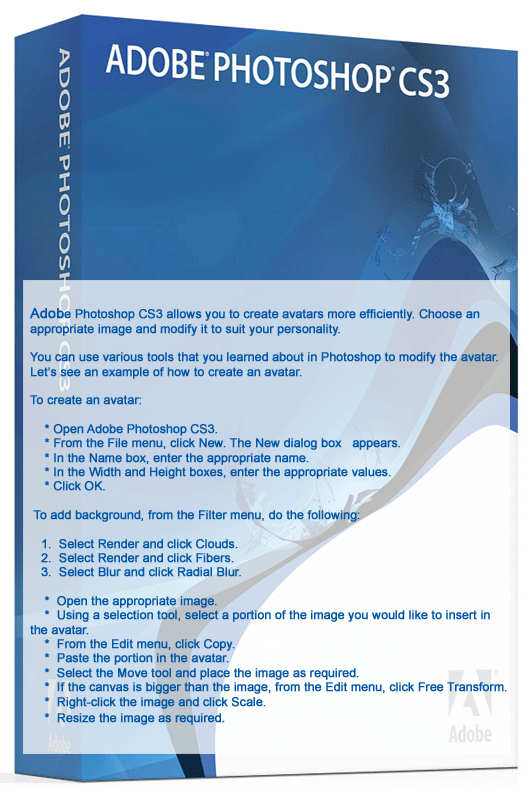
Adobe Photoshop CS3 allows you to create avatars more efficiently. Choose an appropriate image and modify it to suit your personality. You can use various tools that you learned about in Photoshop to modify the avatar. Let’s see an example of how to create an avatar.
To create an avatar:
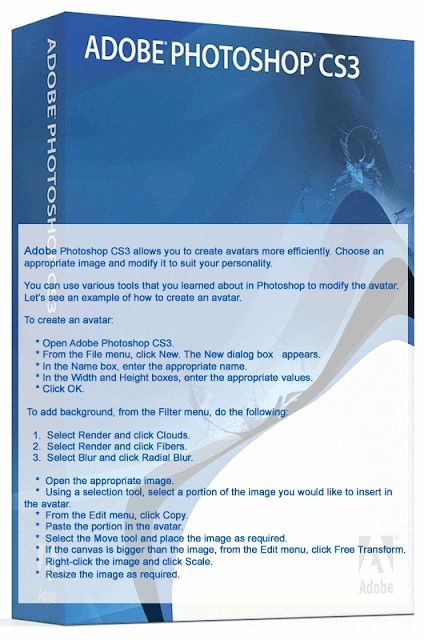


To create an avatar:
How do I create an Avatar?



Tip the scale! Branding yourself online...
General purpose:

Tactics:

Kinds of websites you could create


- Show, and create your expertise as much as possible.
- Publicize your brand-related successes and achievements.
- Make yourself easy to contact for thoughts and questions via email, Twitter, Skype, internet messaging, etc
- Help other people in your industry such as bloggers, Twitterers, colleagues, advice seekers, etc.
- Give people a reason to talk about you in a positive way that also matches your brand.
- Follow other people in your industry and anyone else who can teach you how to spread your message.
- Create and apply personal design guidelines that will share the values of your brand and are reusable online and offline.
- Keep in mind that where you interact online also conveys messages about you, and then stick to the websites and communities that will help most in reaching your goals.
Tactics:

- Choose an appropriate avatar.
- Consider using a personal logo.
- Join brand-related communities on social media (such as LinkedIn Groups), in discussion forums, newsgroups and mailing lists.
- Be helpful by sharing links and resources that you know people will enjoy.
Kinds of websites you could create

- An ‘ask an expert’ website to answer questions about your profession or area of expertise.
- Discussion forum about your industry that you would moderate and participate in.
- Wiki about your industry
- A social media resume
- A personally-branded version of a free online tool that your audience will find useful.
- Personal blog

Branding Yourself

 When I was a very young girl, living in a small country town in Utah, I spent a lot of time with my grandparents. My grandfather had quit a few cows and I was always eager to help him brand his cows. Now I know that must sound

Subscribe to:
Posts (Atom)
Blog with the best



Comment Below
WallBiz Designing!
